实线和虚线进度条控件 Android CircleProgressBar
- 授权协议: Apache 2.0
- 开发语言: Java
- 操作系统: Android
- 软件首页: https://github.com/dinuscxj/CircleProgressBar
- 软件文档: https://github.com/dinuscxj/CircleProgressBar/blob/master/README-ZH.md
- 官方下载: https://github.com/dinuscxj/CircleProgressBar/archive/master.zip
软件介绍
CircleProgressBar继承ProgressBar, 是包含实心和线条两种风格的圆环进度条. 此外, 进度值可以随意定制. 如果你对酷炫的进度条比较感兴趣, 或许你更喜欢 LoadingDrawable.
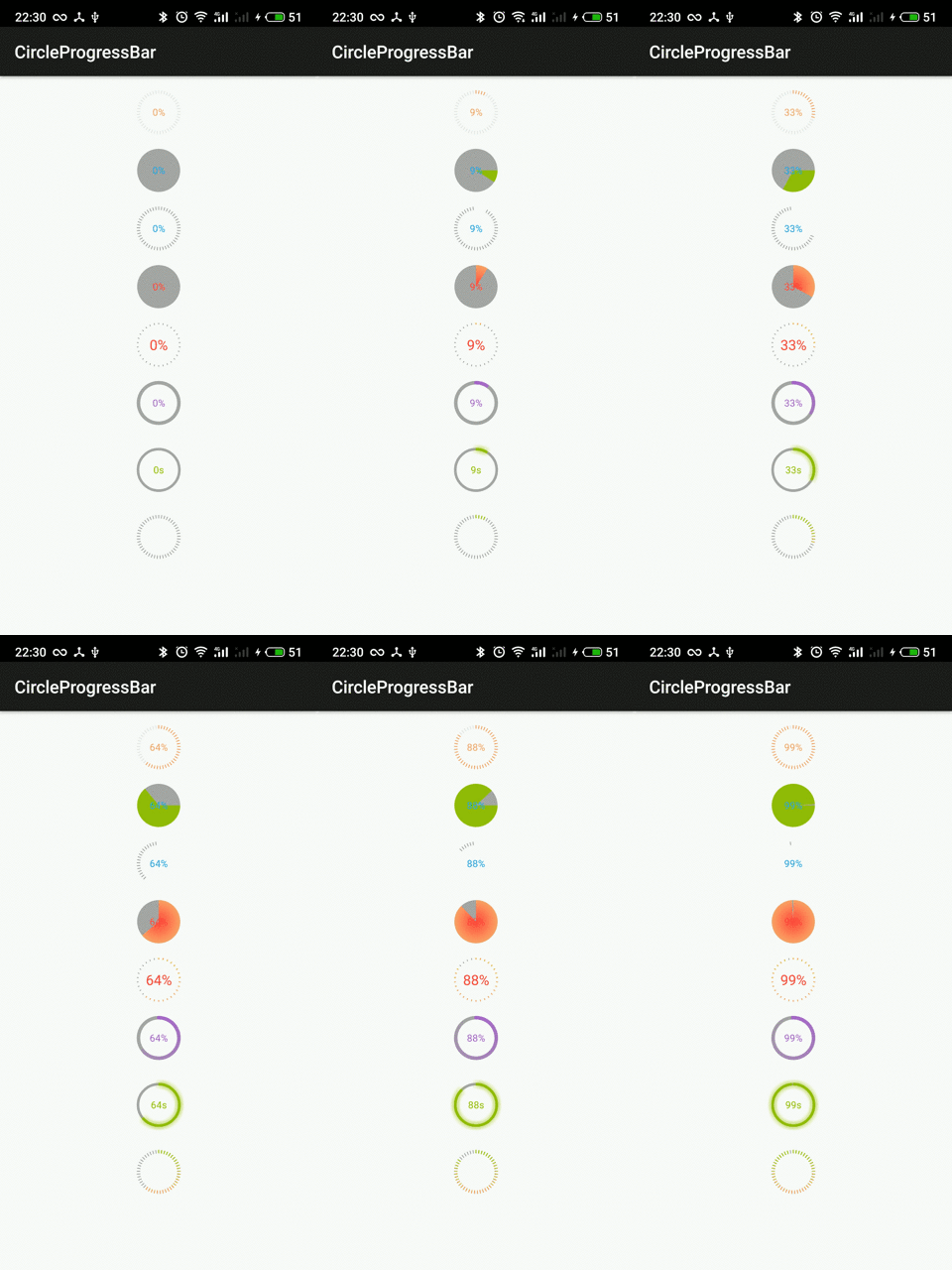
用法
Gradle
 dependencies {
    compile 'com.dinuscxj:circleprogressbar:1.0.0'
 }
用在xml中:
<com.dinuscxj.progressbar.CircleProgressBar
    android:id="@+id/line_progress"
    android:layout_marginTop="@dimen/default_margin"
    android:layout_width="50dp"
    android:layout_height="50dp" />
属性
有下面这些属性你可以设置:
The style:
solid
line
The progress text:
text color
text size
visibility
format
The progress circle:
width
color
background color
The line style:
width
count
例如:
<com.dinuscxj.progressbar.CircleProgressBar
    android:layout_width="50dp"
    android:layout_height="50dp"

    app:style="line"

    app:progress_text_color="@color/holo_purple"
    app:progress_text_size="@dimen/progress_text_size"
    app:draw_progress_text="true"
    app:progress_text_format_pattern="@string/progress_text_format_pattern"

    app:progress_stroke_width="1dp"
    app:progress_color="@color/holo_purple"
    app:progress_background_color="@color/holo_darker_gray"

    app:line_width="4dp"
    app:line_count="30"/>
优点
继承ProgressBar, 不必关心当前进度状态的保存, ProgressBar 已经在onSaveInstanceState()和 onRestoreInstanceState(Parcelable state)中帮我们写好了。
定制性很强,可以设置两种风格的进度条,设置进度条的颜色和进度文本的颜色和大小, 由于代码中对于进度文本的格化化是使用的String.format(), 所以进度文本可以根据需要随意定制
代码优雅,代码注释很全面,格式整齐,可以直接在xml中设置相关的属性。

JavaScript
Douglas Crockford / Yahoo Press / 2008-5 / GBP 23.99
Most programming languages contain good and bad parts, but JavaScript has more than its share of the bad, having been developed and released in a hurry before it could be refined. This authoritative b......一起来看看 《JavaScript》 这本书的介绍吧!

Base64 编码/解码
Base64 编码/解码

HSV CMYK 转换工具
HSV CMYK互换工具
