- 授权协议: MIT
- 开发语言: Swift
- 操作系统: 跨平台
- 软件首页: https://github.com/WangWenzhuang/ZKProgressHUD
- 软件文档: https://github.com/WangWenzhuang/ZKProgressHUD/blob/master/README.md
软件介绍
iOS App 上易于使用的 HUD
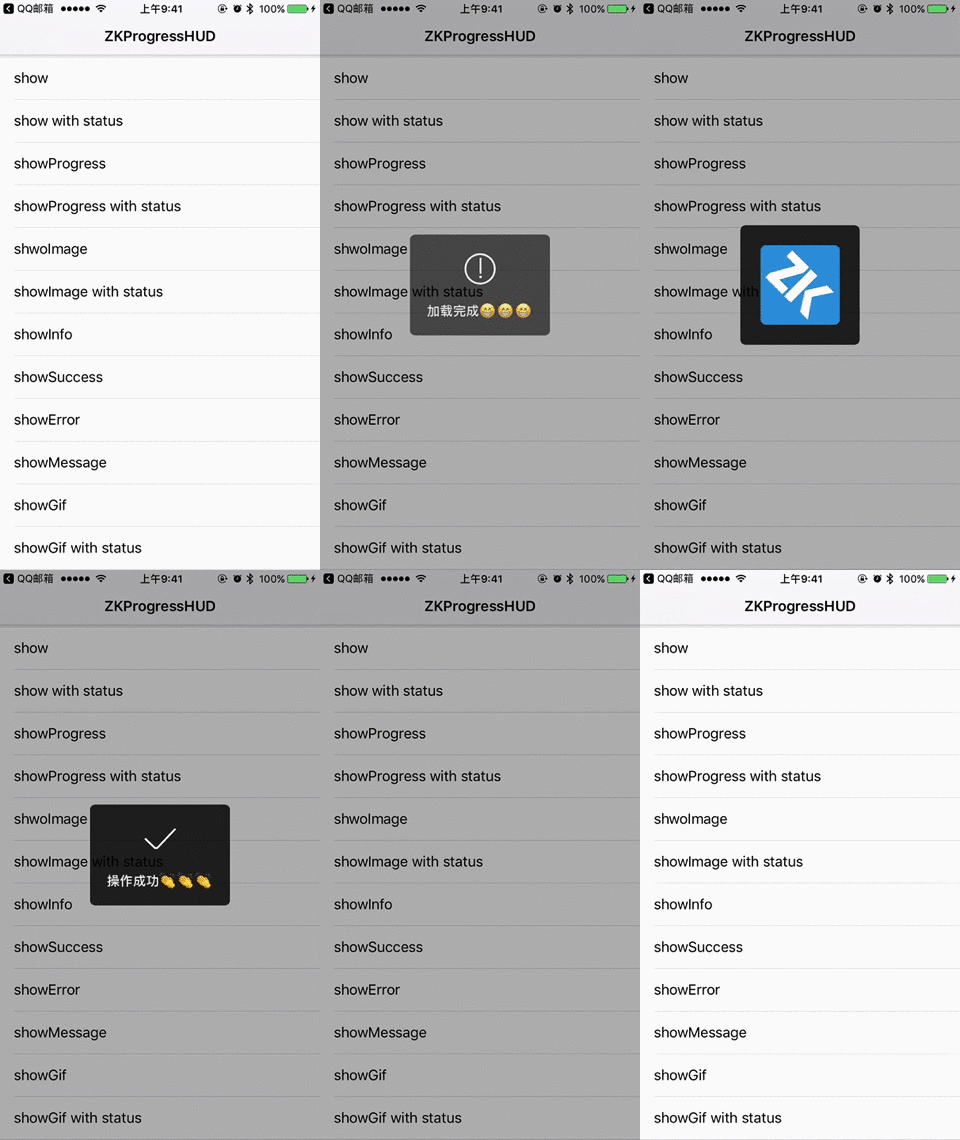
运行环境
iOS 8.0 +
Xcode 8 +
Swift 3.0 +
安装
CocoaPods
你可以使用 CocoaPods 安装 ZKProgressHUD,在你的 Podfile 中添加:
platform :ios, '8.0'
use_frameworks!

target 'MyApp' do
    pod 'ZKProgressHUD'
end
手动安装
拖动
ZKProgressHUD文件夹到您的项目将
ZKProgressHUD.bundle添加到项目资源中Targets->Build Phases->Copy Bundle Resources
使用
导入 ZKProgressHUD
import ZKProgressHUD
显示加载
ZKProgressHUD.show()
// Simulation time consuming operation
DispatchQueue.global().asyncAfter(deadline: DispatchTime.now() + .seconds(3), execute: {
    DispatchQueue.main.async {
        ZKProgressHUD.hide()
    }
})
显示加载和文字
ZKProgressHUD.show("loading")
// Simulation time consuming operation
DispatchQueue.global().asyncAfter(deadline: DispatchTime.now() + .seconds(3), execute: {
    DispatchQueue.main.async {
        ZKProgressHUD.hide()
    }
})
显示进度
ZKProgressHUD.showProgress(1 / 10)
显示图片
ZKProgressHUD.showImage(UIImage(named: "image"))
显示图片和文字
ZKProgressHUD.showImage(UIImage(named: "image"), status: "Hello world")
显示信息样式
ZKProgressHUD.showInfo("Hello world")显示成功
ZKProgressHUD.showSuccess("Hello world")显示错误
ZKProgressHUD.showError("Hello world")显示消息(无图)
ZKProgressHUD.showMessage("Hello world")隐藏
ZKProgressHUD.hide()
延迟隐藏
ZKProgressHUD.hide(delay: 3)
自定义
ZKProgressHUD 可以通过下面方法进行自定义:
setMaskStyle (_ maskStyle : ZKProgressHUDMaskStyle )

setMaskBackgroundColor(_ color: UIColor)

setForegroundColor(_ color: UIColor)

setBackgroundColor(_ color: UIColor)

setFont(_ font: UIFont)

setCornerRadius(_ cornerRadius: CGFloat)

setAnimationStyle(_ animationStyle : ZKProgressHUDAnimationStyle )

setHideDelay(_ hideDelay: Int)


